Construction project closeout document management web application.
- Company
- Own product
- Domain
- Construction
- Discipline
- UX, UI
Summary
Construction project closeout document management web application. The product allows workers to share their documents on what has been done that needs review, review them, point to the errors, or sign the documents in a successful case. It also allowed users to store these documents indefinitely, allowing them to refer to them later and have them in one place.
Team: Me as a product designer and manager and 1 software developer.
Market: Ukraine
Status: The hypothesis failed, so I closed the project.
Problem
- Theft of materials and their residues on the construction site by sub-contractors
- Overestimation of the purchase cost of materials by sub-contractors
- Incorrect completion of the close-out documentation
- The inefficiency of technical supervision
- Documentation is stored exclusively on paper
Reason: Lack of transparency and visibility for the customer's office in how technical supervision and contractors interact
Solution
- The entire document flow of the contractor with the technical supervision of the construction site is fully digitized and does not require the physical presence of the contractor at the technical supervision office. Access to the application is not limited to desktop computers: the application can be accessed from a smartphone and tablet anywhere where there is the Internet.
- For the customer, the current real-time status of each of the projects is visible and analytics by contractors and type of work are also available. Technical supervision and employees of the customer's office have 24/7 access to the uploaded documentation.
- All closeout documentation in digital format, as well as the history of the actions of technical supervision and contractors, is stored for decades and in a safe place - in a cloud data storage, to which only authorized users to have access.
Plan
Create a management system to approve, decline, and comment on errors in documents for construction management. Additionally, document signing off, a dashboard with statistics, and ratings of the most reliable contractors.
References
Buildr, Procore
Design process
Phase 1. Discovery
Before the product got started, we have to understand the context and the current process of construction works close-out. For that purpose, we interviewed the supervisors who are responsible for document verification.
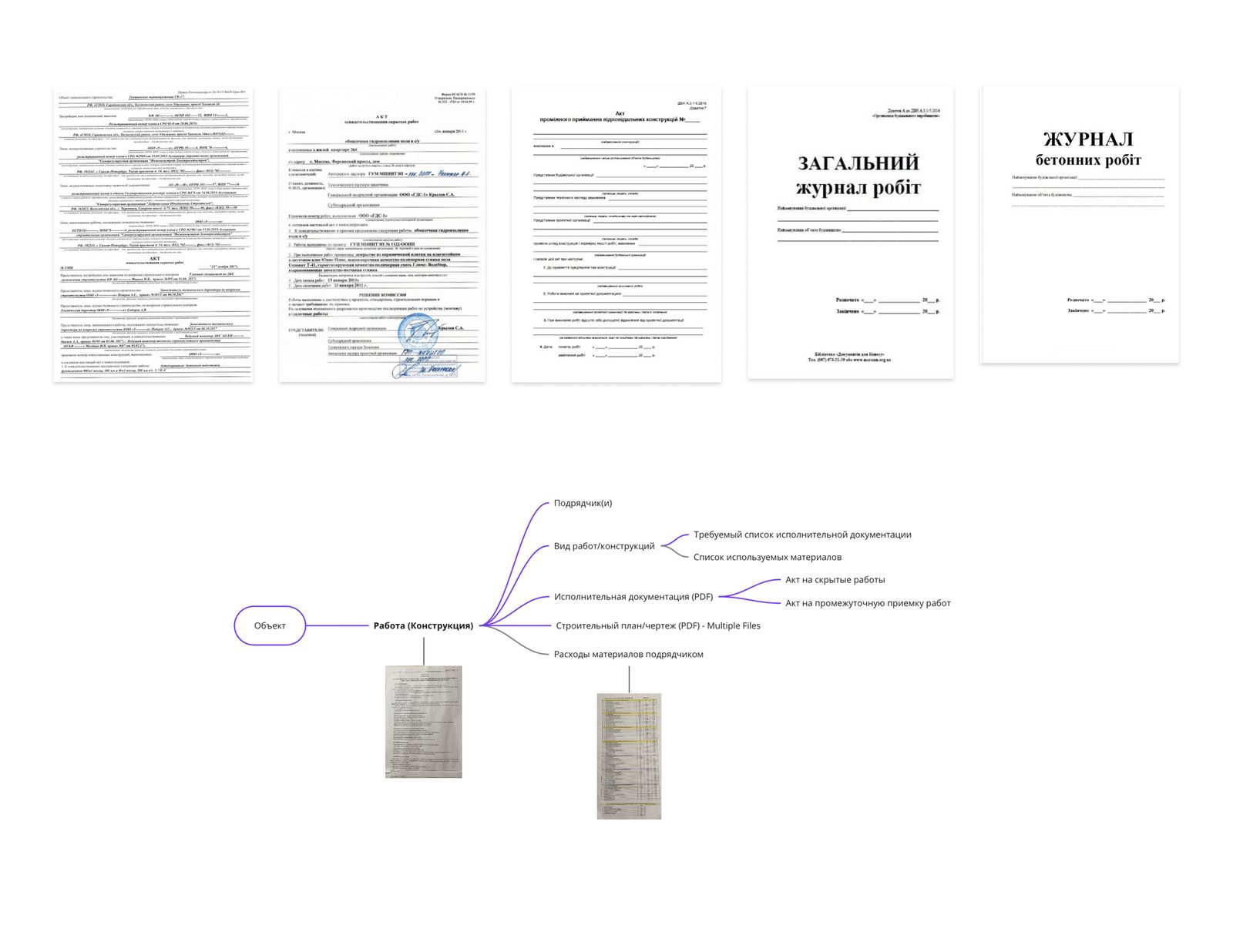
The next step was to identify the current pain points in the current flow. Based on that we were able to ideate the opportunity areas
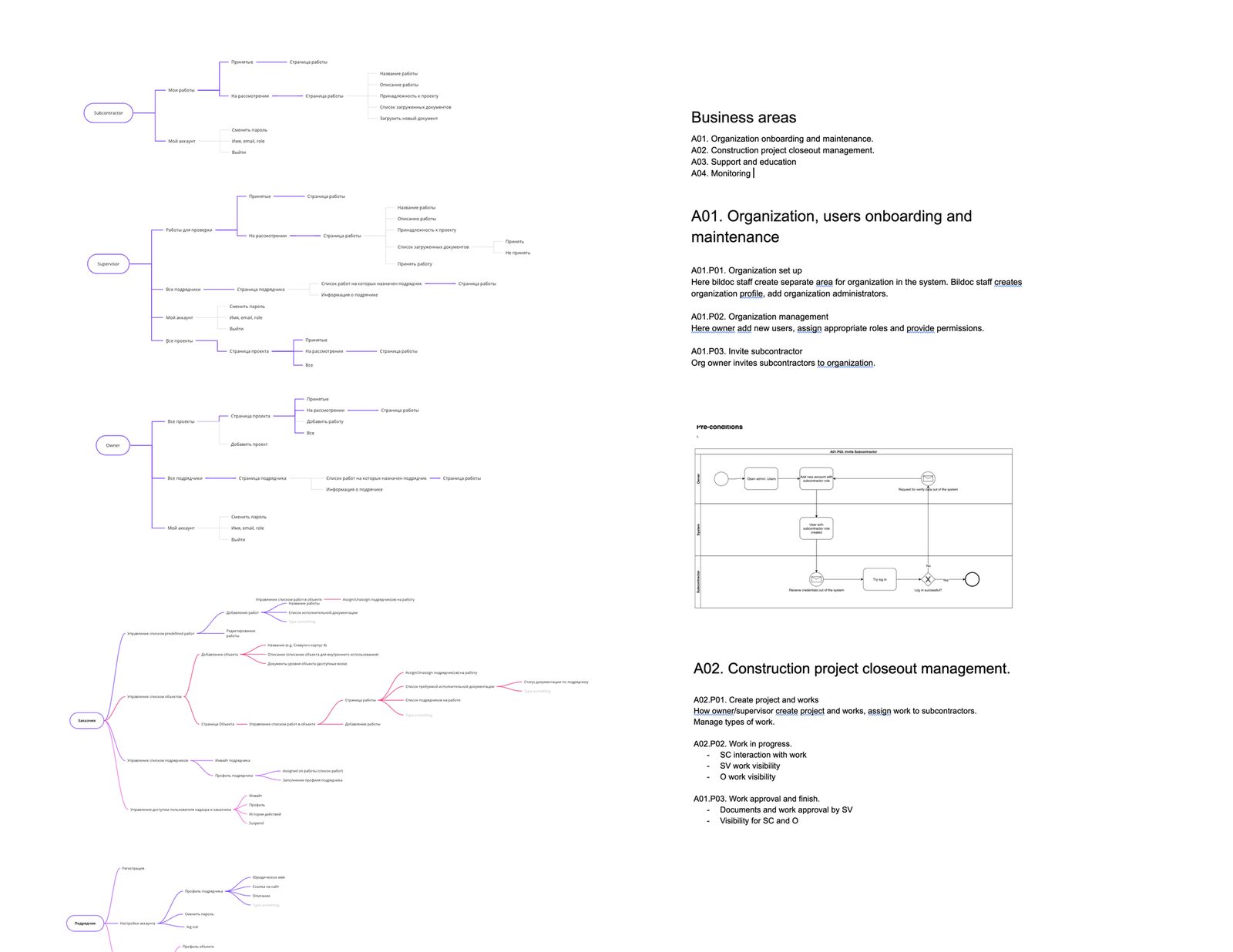
Phase 2. Design
At this stage, we had extensive user testing with the construction team, by using a lo-fi prototype created in Invision. There were conducted 4 interviews.
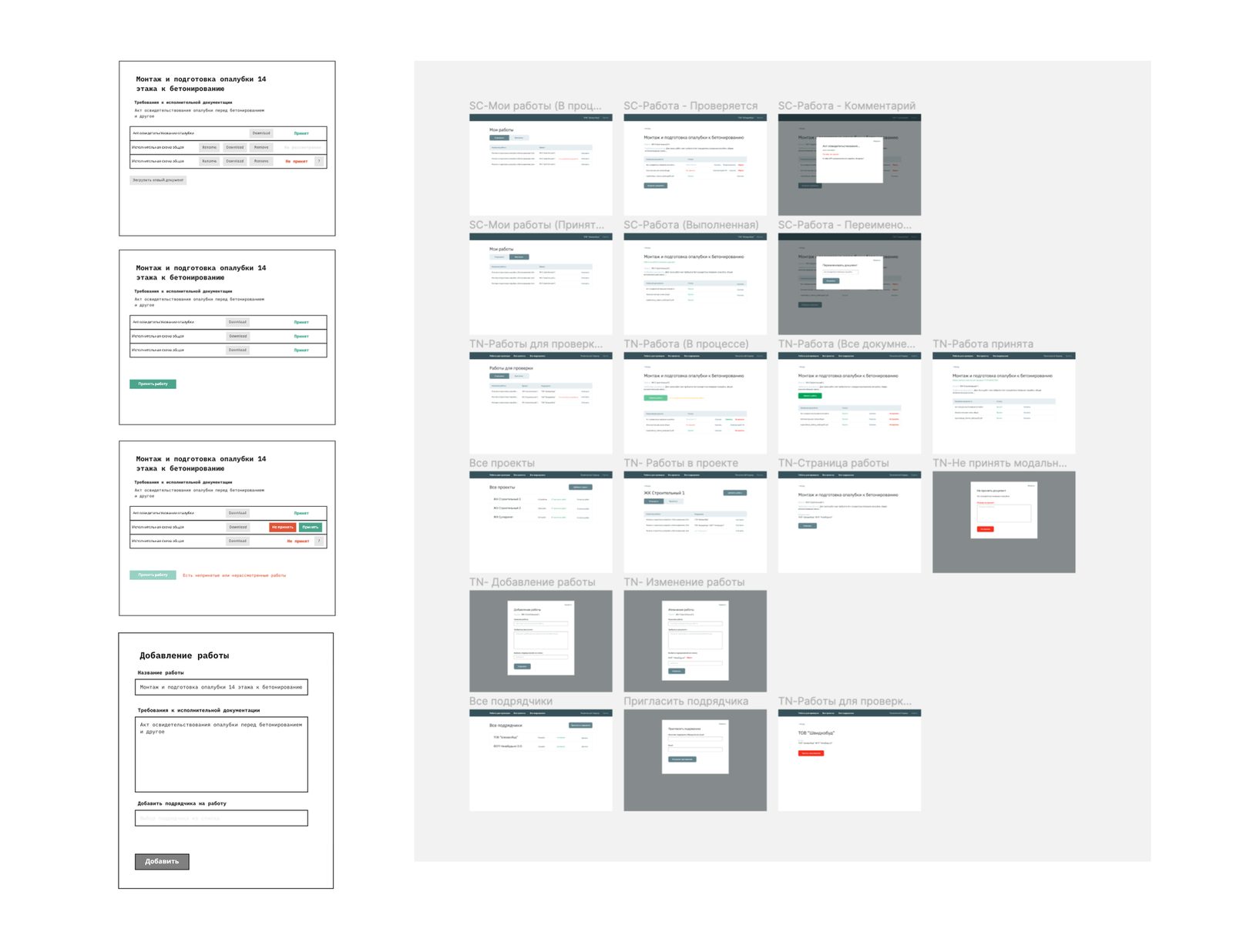
After the testing, we found out that there is value for our users, so we can continue with the product development. We narrowed the scope of the MVP to reduce design and development work to ship faster.
The final design for MVP
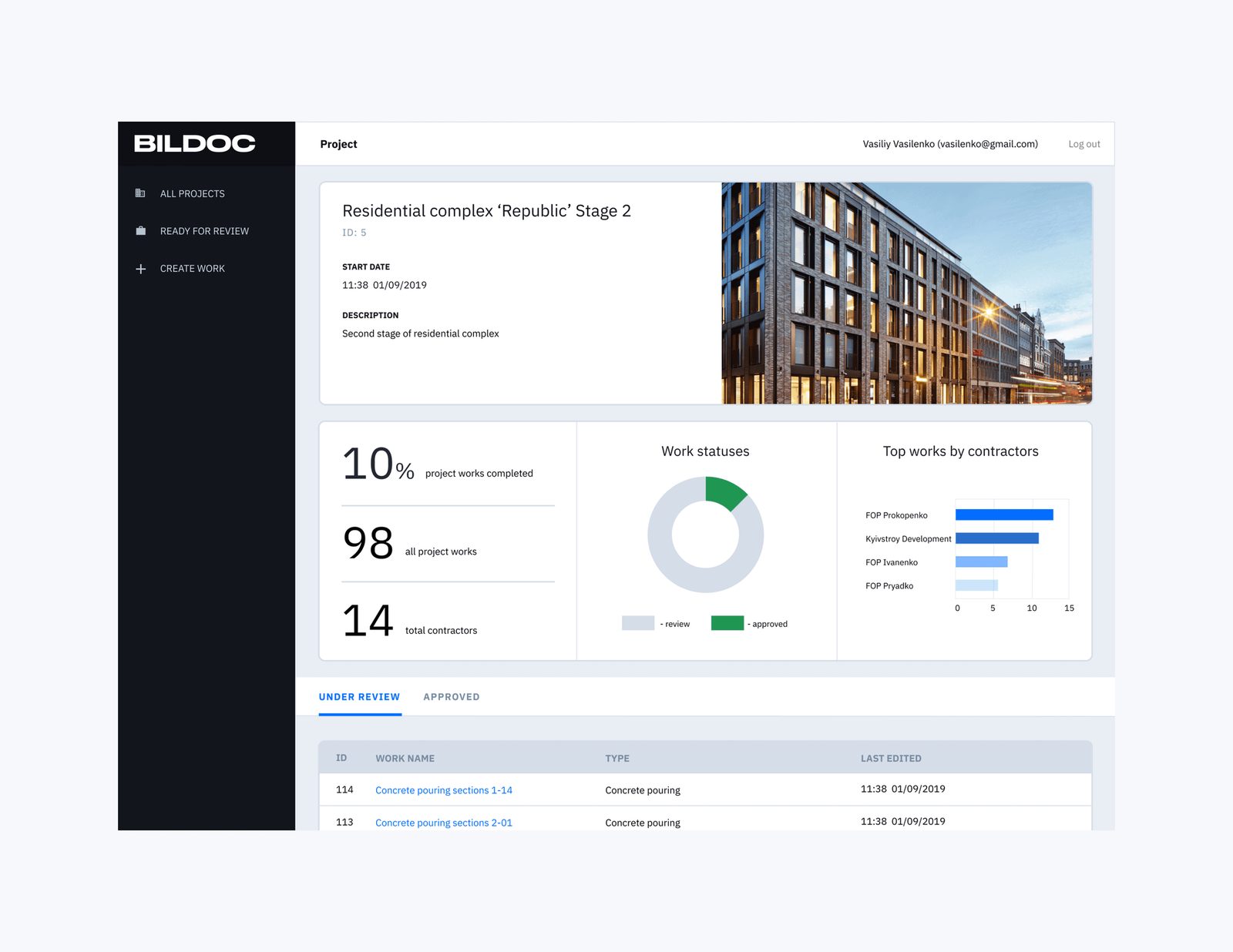
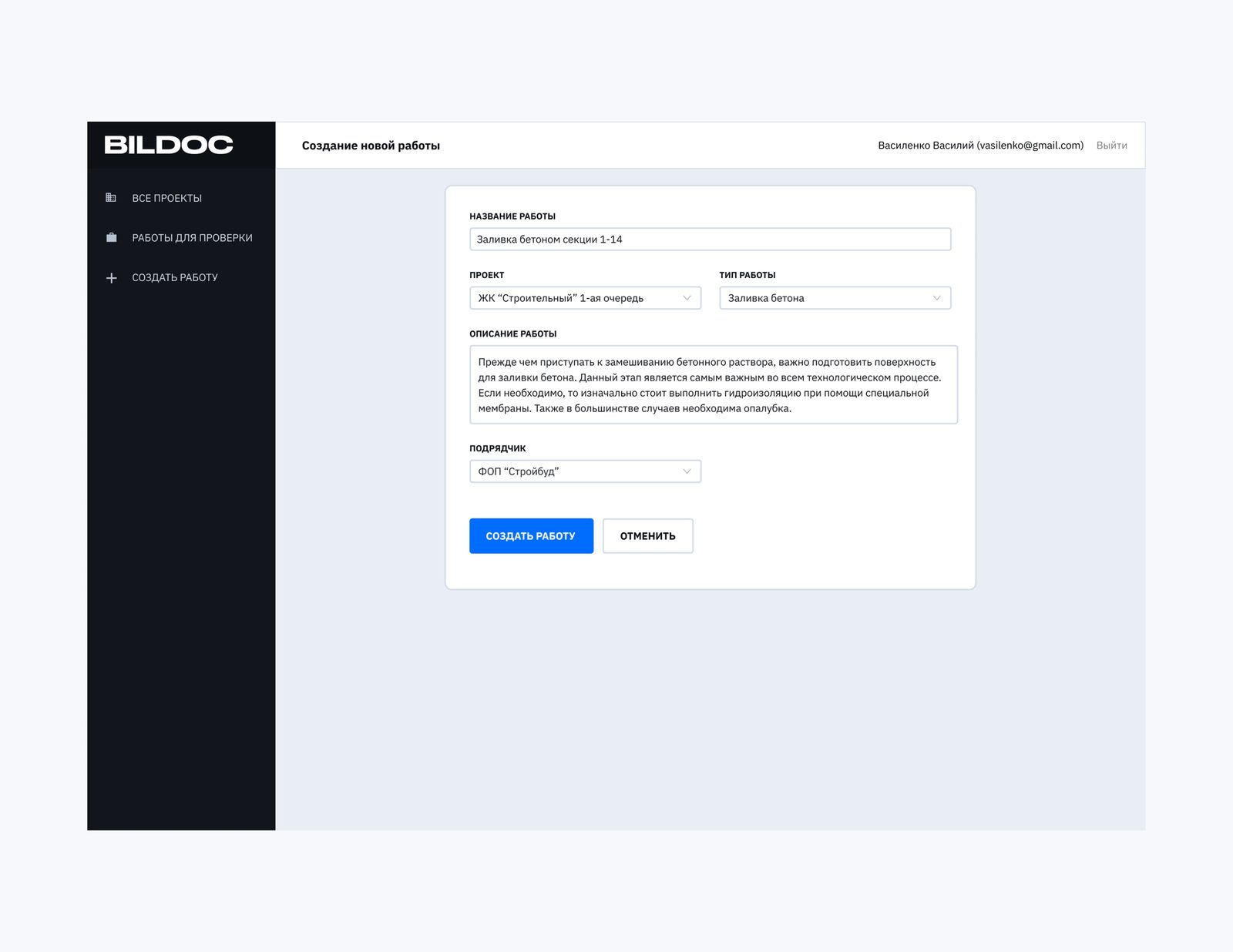
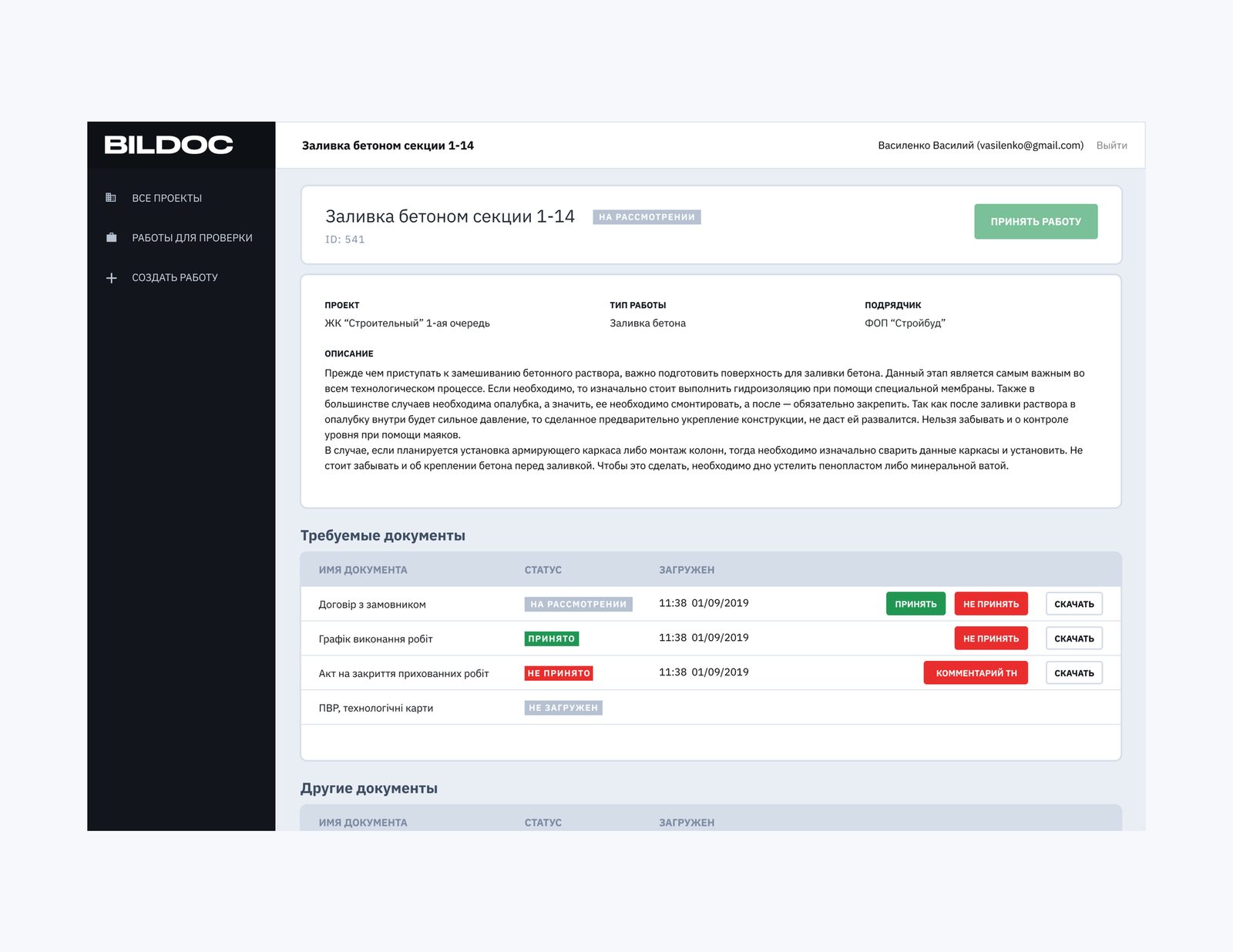
The design was implemented in a more reduced feature-wise web application. We notify the first user and did a quick intro session on how to use it. They used it only for less than a week, and the product was abandoned because of several reasons.
We closed the project because: - we didn’t know how hard for our users to switch; - we targeted supervision departments instead of the top management of construction companies (we didn’t understand the vertical decision-making in this industry); - it was hard to pitch an MVP because prospective expected much more features; - at that point, we haven’t got the resources and time to do a pivot.